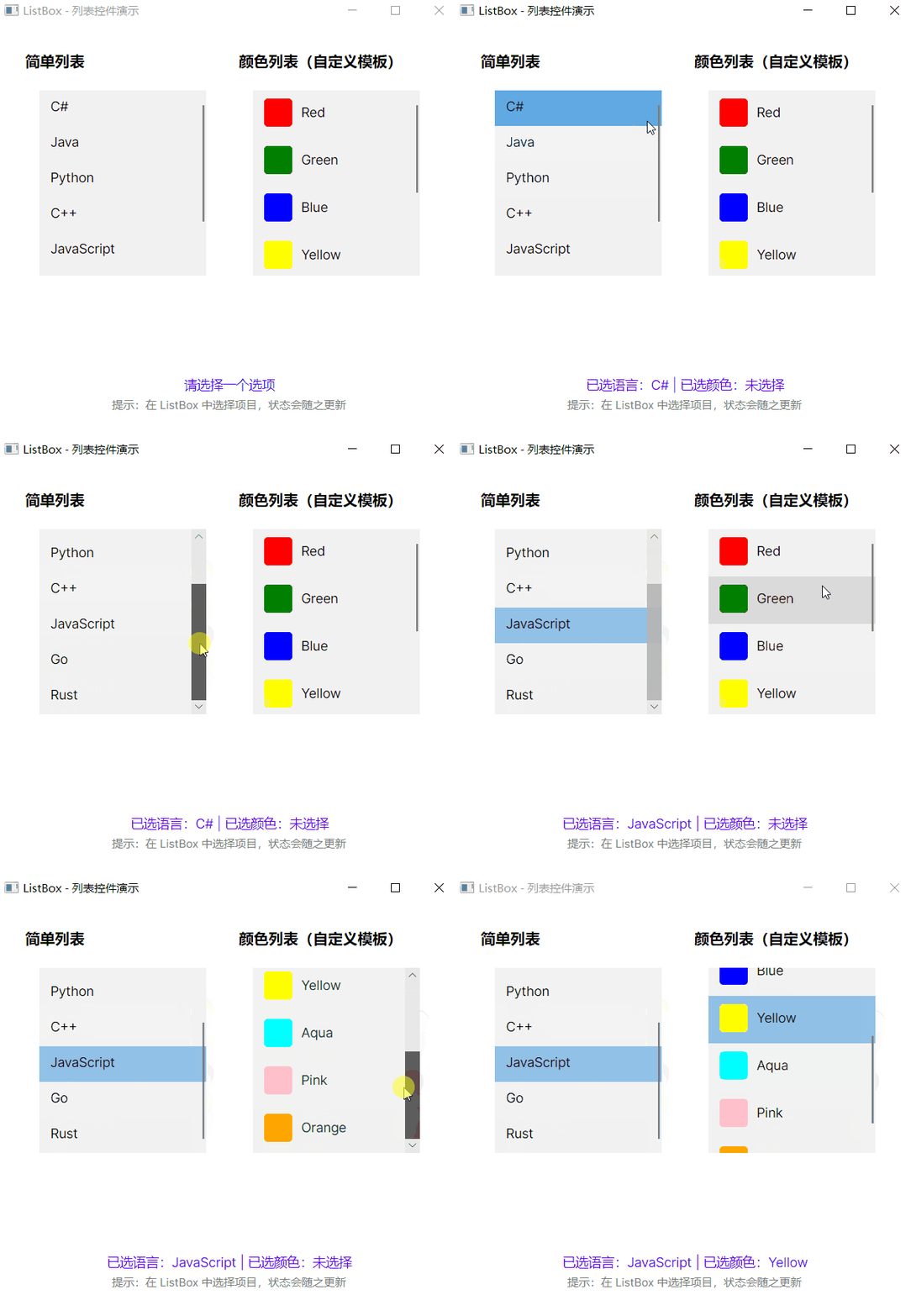
ListBox演示
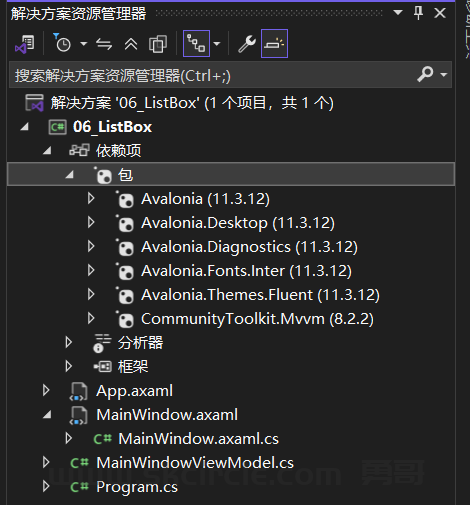
MainWindow.axaml
<Window xmlns="https://github.com/avaloniaui"
        xmlns:x="http://schemas.microsoft.com/winfx/2006/xaml"
        xmlns:vm="clr-namespace:_06_ListBox"
        x:Class="_06_ListBox.MainWindow"
          x:DataType="vm:MainWindowViewModel"
        Title="ListBox - 列表控件演示"
        Width="500"
        Height="450">
  <Window.DataContext>
    <vm:MainWindowViewModel/>
  </Window.DataContext>

  <Grid Margin="20" ColumnDefinitions="*,*">
    <StackPanel Grid.Column="0" Margin="10" Spacing="20">
      <TextBlock Text="简单列表" FontSize="16" FontWeight="Bold"/>
      <ListBox ItemsSource="{Binding Languages}"
               SelectedItem="{Binding SelectedLanguage}"
               Height="200"
               Width="180"/>
    </StackPanel>

    <StackPanel Grid.Column="1" Margin="10" Spacing="20">
      <TextBlock Text="颜色列表(自定义模板)" FontSize="16" FontWeight="Bold"/>
      <ListBox ItemsSource="{Binding Colors}"
               SelectedItem="{Binding SelectedColor}"
               Height="200"
               Width="180">
        <ListBox.ItemTemplate>
          <DataTemplate>
            <StackPanel Orientation="Horizontal" Spacing="10">
              <Border Width="30" Height="30"
                      Background="{Binding}"
                      CornerRadius="4"/>
              <TextBlock Text="{Binding}"
                         VerticalAlignment="Center"/>
            </StackPanel>
          </DataTemplate>
        </ListBox.ItemTemplate>
      </ListBox>
    </StackPanel>

    <StackPanel Grid.Column="0" Grid.ColumnSpan="2"
                VerticalAlignment="Bottom"
                Margin="10"
                Spacing="5">
      <TextBlock Text="{Binding StatusText}"
                 FontSize="14"
                 Foreground="#6200EE"
                 HorizontalAlignment="Center"/>
      <TextBlock Text="提示:在 ListBox 中选择项目,状态会随之更新"
                 FontSize="12"
                 Foreground="Gray"
                 HorizontalAlignment="Center"/>
    </StackPanel>
  </Grid>
</Window>
MainWindow.axaml.cs
using Avalonia.Controls;

namespace _06_ListBox
{
    public partial class MainWindow : Window
    {
        public MainWindow()
        {
            InitializeComponent();
        }
    }
}
MainWindowViewModel.cs
using System.Collections.ObjectModel;
using System.ComponentModel;
using System.Runtime.CompilerServices;

namespace _06_ListBox
{
    public class MainWindowViewModel : INotifyPropertyChanged
    {
        public ObservableCollection<string> Languages { get; set; }
        public ObservableCollection<string> Colors { get; set; }

        private string _selectedLanguage;
        public string SelectedLanguage
        {
            get => _selectedLanguage;
            set
            {
                _selectedLanguage = value;
                OnPropertyChanged();
                UpdateStatus();
            }
        }

        private string _selectedColor;
        public string SelectedColor
        {
            get => _selectedColor;
            set
            {
                _selectedColor = value;
                OnPropertyChanged();
                UpdateStatus();
            }
        }

        private string _statusText;
        public string StatusText
        {
            get => _statusText;
            set
            {
                _statusText = value;
                OnPropertyChanged();
            }
        }

        public MainWindowViewModel()
        {
            Languages = new ObservableCollection<string>
            {
                "C#", "Java", "Python", "C++", "JavaScript", "Go", "Rust"
            };

            Colors = new ObservableCollection<string>
            {
                "Red", "Green", "Blue", "Yellow", "Aqua", "Pink", "Orange"
            };

            StatusText = "请选择一个选项";
        }

        private void UpdateStatus()
        {
            var lang = SelectedLanguage ?? "未选择";
            var color = SelectedColor ?? "未选择";
            StatusText = $"已选语言:{lang} | 已选颜色:{color}";
        }

        public event PropertyChangedEventHandler PropertyChanged;
        protected void OnPropertyChanged([CallerMemberName] string propertyName = null)
        {
            PropertyChanged?.Invoke(this, new PropertyChangedEventArgs(propertyName));
        }
    }
}
效果: