先说说为啥要有websocket。
原始 TCP Socket:二进制字节流,底层裸 TCP,P,没有 HTTP 包装。
浏览器 JS不能直接访问原始 TCP Socket(浏览器安全沙箱禁止 JS 直接裸 TCP)。
因此才有了WebSocket,可以理解为是带http包装的socket,是跑在tcp之上的,现在是被浏览器原生支持。
WebSocket:握手阶段是 HTTP,可以穿过大多数 HTTP 代理;防火墙把握手识别成 HTTP,更容易放行。
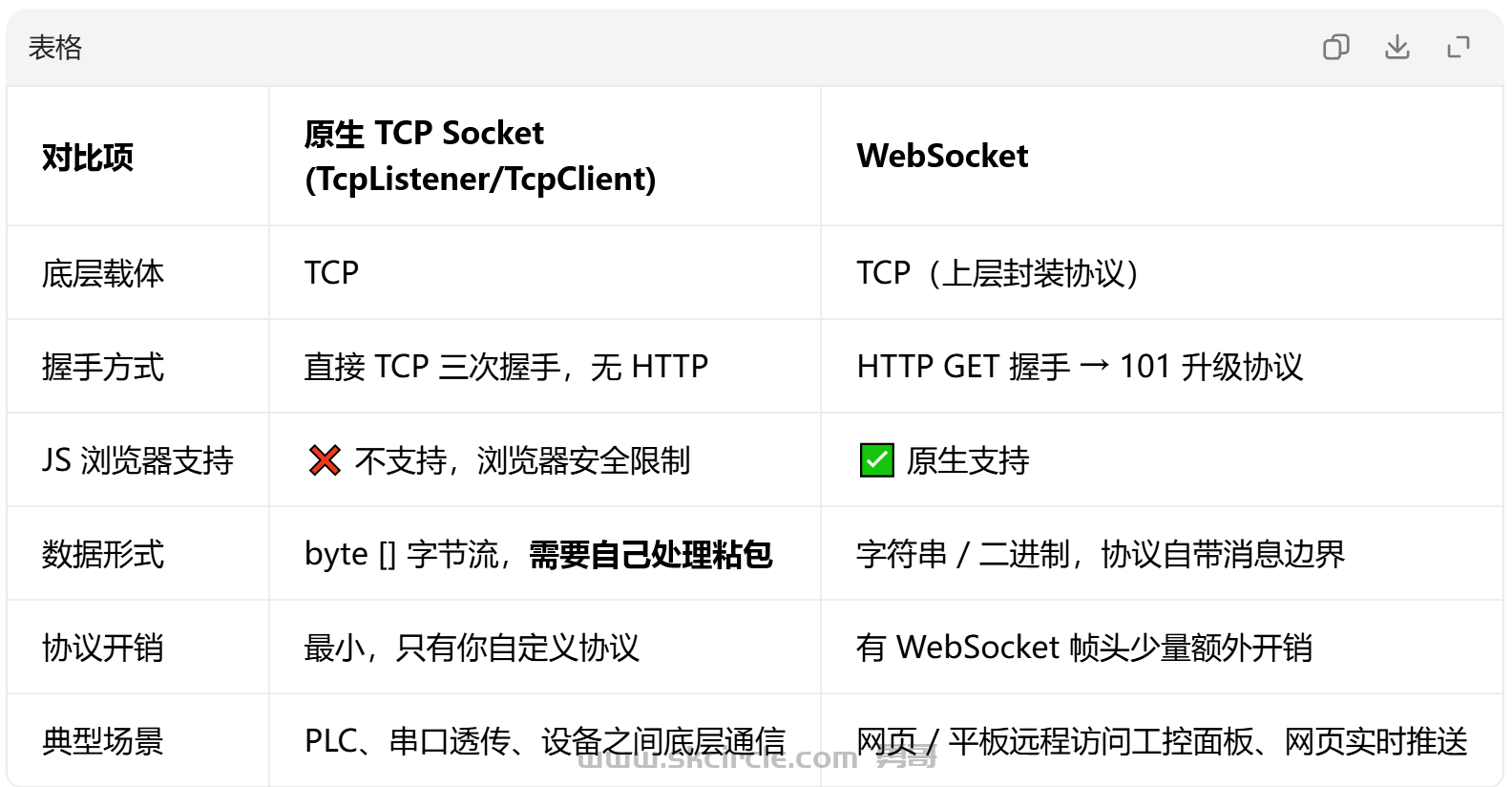
下面是两者的对比表格:
下面是例子:
C#代码:
代码使用了两个包:
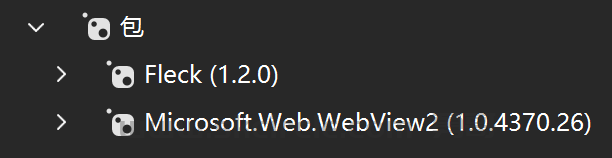
fleck是个轻量的websocket包。工控用得比较多。
WebView2上篇用过,可以看做是浏览器控件的升级版本。
using Fleck;
using Microsoft.Web.WebView2.WinForms;


namespace WinFormsApp1
{
    public partial class Form1 : Form
    {
        private readonly WebView2 webView;
        private WebSocketServer _wsServer;
        private readonly HashSet<IWebSocketConnection> _allConnections = new HashSet<IWebSocketConnection>();
        private System.Timers.Timer _simTimer;

        public Form1()
        {
            InitializeComponent();
            webView = new WebView2();
            webView.Dock = DockStyle.Fill;
            this.Controls.Add(webView);

            // 启动WebSocket服务
            StartWebSocketServer();

            _ = InitWebViewAsync();
        }

        #region WebSocket 服务端(Fleck原版1.2.0)
        private void StartWebSocketServer()
        {
            _wsServer = new WebSocketServer("ws://127.0.0.1:8181");
            _simTimer = new System.Timers.Timer(800);

            _wsServer.Start(socket =>
            {
                socket.OnOpen = () =>
                {
                    Console.WriteLine("客户端连接成功");
                    lock (_allConnections)
                    {
                        _allConnections.Add(socket);
                    }
                };
                socket.OnClose = () =>
                {
                    Console.WriteLine("客户端断开");
                    lock (_allConnections)
                    {
                        _allConnections.Remove(socket);
                    }
                };
                socket.OnMessage = msg =>
                {
                    // JS发来的消息,在这里处理(相当于JS→C#)
                    Console.WriteLine($"收到前端消息:{msg}");
                    // 回消息给前端
                    socket.Send($"C#收到指令:{msg} | {DateTime.Now:HH:mm:ss}");
                };
            });

            // 定时器:全局唯一,循环推送给所有在线客户端
            _simTimer.Elapsed += (s, e) =>
            {
                double temp = 25 + Math.Sin(DateTime.Now.Second) * 6;
                double press = 0.35 + Math.Cos(DateTime.Now.Millisecond / 250.0) * 0.22;
                string json = $"{{\"Temp\":{temp:F2},\"Press\":{press:F2}}}";
                lock (_allConnections)
                {
                    foreach (var conn in _allConnections)
                    {
                        conn.Send(json);
                    }
                }
            };
            _simTimer.Start();
        }
        #endregion

        #region WebView2加载本地页面
        private async Task InitWebViewAsync()
        {
            await webView.EnsureCoreWebView2Async(null);
            var core = webView.CoreWebView2;
            core.Settings.AreDevToolsEnabled = true;

            string htmlPath = Path.Combine(Application.StartupPath, "ui", "ws_index.html");
            string htmlUrl = new Uri(htmlPath).AbsoluteUri;
            core.Navigate(htmlUrl);
        }
        #endregion

        protected override void OnFormClosed(FormClosedEventArgs e)
        {
            // 1.停止定时器
            _simTimer?.Stop();
            _simTimer?.Dispose();

            // 2.关闭所有在线WebSocket客户端
            lock (_allConnections)
            {
                foreach (var conn in _allConnections)
                {
                    conn.Close();
                }
                _allConnections.Clear();
            }

            // 原版Fleck没有Stop(),注释掉这一行!
            // _wsServer?.Stop();

            base.OnFormClosed(e);
        }
    }
}
html代码:
<!DOCTYPE html>
<html>
<head>
    <meta charset="UTF-8">
    <style>
        .card {border:1px solid #666;padding:12px;width:320px;}
        button {padding:8px 14px;font-size:14px;}
    </style>
</head>
<body>
    <h3>WinForms WebSocket 面板</h3>
    <button onclick="SendMsgToCSharp()">发送指令给C#</button>
    <div id="msgBox"></div>

    <div>
        <h4>实时传感器数据</h4>
        <div>温度:<span id="temp">--</span> ℃</div>
        <div>压力:<span id="press">--</span> MPa</div>
    </div>

<script>
// 连接本机C# WebSocket服务
const ws = new WebSocket("ws://127.0.0.1:8181");

ws.onopen = ()=>{
    console.log("WebSocket连接成功");
}

// C#推送的数据在这里接收
ws.onmessage = (event)=>{
    const txt = event.data;
    // 判断是不是JSON设备数据
    if(txt.startsWith("{")){
        const data = JSON.parse(txt);
        document.getElementById("temp").innerText = data.Temp;
        document.getElementById("press").innerText = data.Press;
    }else{
        // 普通文本消息
        document.getElementById("msgBox").innerText = txt;
    }
}

ws.onerror = (err)=>{
    console.error("WS错误",err);
}

// 按钮:JS发送消息到C#服务端
function SendMsgToCSharp(){
    ws.send("来自网页前端的控制指令");
}
</script>
</body>
</html>
双向通信过程:
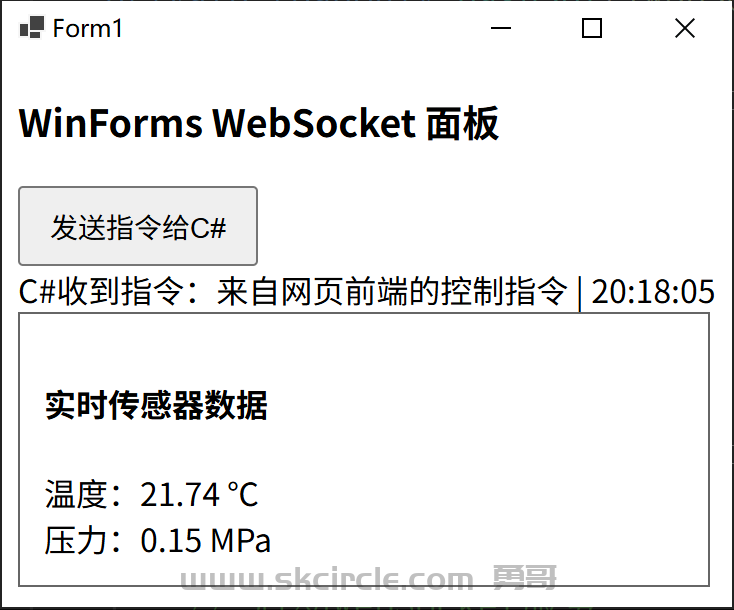
1. ✅ Web 页面按钮点一下 → JS 通过 WebSocket 发消息 → C# 后端收到,原路返回文本
2. ✅ C# 定时器后台持续生成温压 JSON → 通过 WebSocket 推送到前端,页面自动刷新数值
当前这套架构小结
WinForms(C#)+ Fleck (WebSocket 服务) + WebView2 内置浏览器
- 本机自带网页面板,同时支持局域网平板 / 电脑直接浏览器打开 `ws://本机IP:8181`,不用额外部署网页服务器
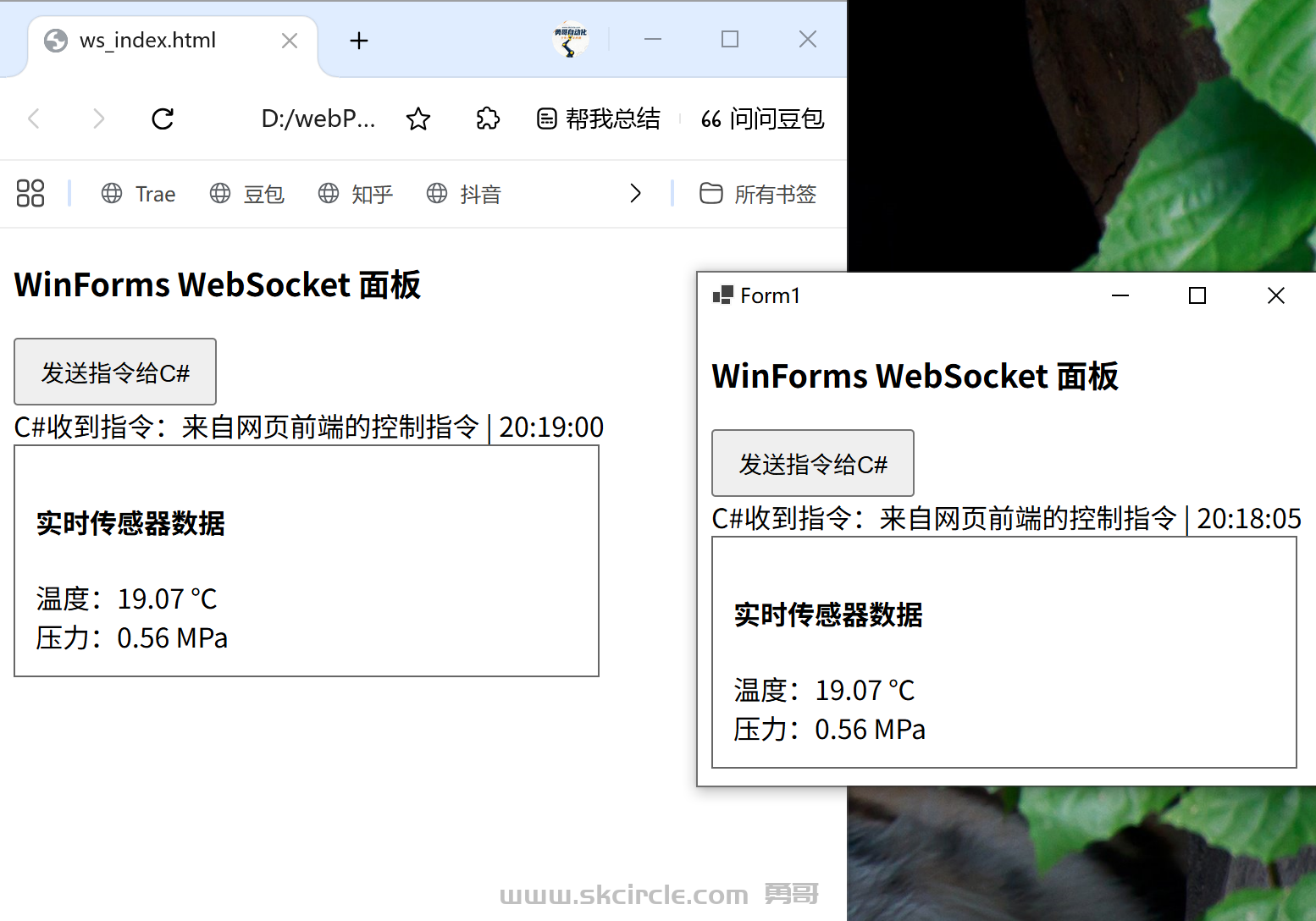
下图是多客户端测试。
你双击打开ws_index.html就行了。
会新建一条 WebSocket 连接,两个页面同时收到 C# 推送的温压数据。